



RTX 4090 GPU Cloud | RunC.AI

RTX 4090 GPUCloud for AI and Image Workloads

Spin up RTX 4090 instances in seconds and run demanding workloads with ease - perfect for Stable Diffusion, ComfyUI, and large-scale model tasks.

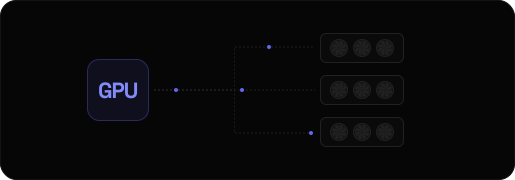
RTX 4090 GPU cloud visual4090
memoryVRAM
24 GB
attach_moneyfrom hr
$ 0.42
grid_viewGPUs
1-8x
cloud_doneprebuilt
AI environments

Why RunC.AI?

You can run a wide range of workloads on RTX 4090 GPUs, especially those that require high VRAM and strong single-GPU performance.

ComfyUI, Stable Diffusion, and FLUX

RTX 4090 is widely used for image generation workflows with tools like ComfyUl, Stable Diffusion, and FLUX. It handles high-resolution generation, complex node graphs, and multiple models in a single pipeline. So it's suitable for both standard and advanced setups.

LLM Inference

For large language model (LLM) inference, RTX 4090 helps run quantized models and serve real-time responses. To be more specific, it is suitable for chatbot backends, local APls, and experimentation with open-source LLMs that fit within available VRAM.

RVC (Retrieval-Based Voice Conversion)

RTX 4090 can also be used for RVC workloads. It enables fast voice conversion and audio processing, supporting training and inference tasks for voice models with reduced latency and faster iteration cycles.

Video Generation

RTX 4090 is capable of handling video generation tasks, including Al-driven video synthesis and frame-based workflows. It supports pipelines that require processing multiple frames and more.

Visual Experimentation

RTX 4090 provides enough flexibility to test new models, workflows, and configurations. It is suitable for rapid iteration across different Al tools, including image, video, and multimodal experiments.

MARKET IMPACT

RTX 4090 Cloud Pricing on RunC.AI

RunC.AI offers RTX 4090 GPUs on demand with transparent pricing. Check the table below and choose from single-GPU to multi-GPU configurations based on your workload requirements.

GPUs1x RTX 4090
CPU16 Cores
RAM64 GB
VRAM24 GB
Hourly$0.42/hr
Monthly$252/mo
GPUs2x RTX 4090
CPU32 Cores
RAM128 GB
VRAM48 GB
Hourly$0.84/hr
Monthly$504/mo
GPUs3x RTX 4090
CPU48 Cores
RAM192 GB
VRAM72 GB
Hourly$1.26/hr
Monthly$756/mo
GPUs4x RTX 4090
CPU64 Cores
RAM256 GB
VRAM96 GB
Hourly$1.68/hr
Monthly$1008/mo
GPUs5x RTX 4090
CPU80 Cores
RAM320 GB
VRAM120 GB
Hourly$2.10/hr
Monthly$1260/mo
GPUs6x RTX 4090
CPU96 Cores
RAM384 GB
VRAM144 GB
Hourly$2.52/hr
Monthly$1512/mo
GPUs7x RTX 4090
CPU112 Cores
RAM448 GB
VRAM168 GB
Hourly$2.94/hr
Monthly$1764/mo
GPUs8x RTX 4090
CPU120 Cores
RAM900 GB
VRAM192 GB
Hourly$3.36/hr
Monthly$2016/mo

Why Choose RunC.AI for RTX 4090?

RunC.AI provides a streamlined GPU cloud experience designed for fast setup, flexible workflows, and efficient scaling. It's easier to run RTX 4090 workloads without unnecessary overhead.

No Environment Configuration Required

Tired of spending hours setting up environments for Al frameworks and tools? Our pre-configured environments take all the work off your plate. You can skip the manual setup and dive straight into deep learning, image generation, and inference tasks.

Keep Your Data Persistent Across Sessions

No more reuploading files every time you start a new session. RunC.Al attaches shared network storage to your instances to keep your datasets, models, and outputs persistently available. You can access and manage all your project data anytime without repetitive work.

Deploy Close to You: 5 Regions Worldwide

We deploy RTX 4090 instances across multiple regions to reduce latency and improve accessibility, including California, London, and Singapore. Choose locations that best match your needs.

Work the Way You Like: SSH or JupyterLab

No need to change how you work to use our instances.We give you full access to your RTX 4090 environment. You can use SSH for granular command-line access and automated workflows, or open JupyterLab to dive straight into interactive notebooks.

MARKET IMPACT

NVIDIA RTX 4090 Specs for AI Workloads

RTX 4090 offers a strong balance of performance and cost for many AI workloads. However, whether it is the right choice for you depends on your memory requirements and workload size.

GPURTX 4090
VRAM24 GB
Best ForImage generation, inference, prototyping
When It's EnoughStable Diffusion, ComfyUI, quantized LLMs, most visual workflows
When to UpgradeLarge models exceeding 24GB, full-precision LLM training
GPUA100
VRAM80 GB (typical)
Best ForLarge models, memory-intensive workloads
When It's EnoughTraining larger models, higher batch sizes
When to UpgradeWhen maximum performance or newer architecture is required
GPUH100
VRAM80 GB (typical)
Best ForAdvanced LLM training, enterprise AI
When It's EnoughHigh-performance training and scaling
When to UpgradeWhen cost is not a constraint

If your workloads fit within 24GB VRAM, RTX 4090 is often the most cost-efficient choice.

Why Rent RTX 4090 Instead of Buying?

Renting RTX 4090 GPUs in the cloud offers more flexibility and lower commitment compared to buying hardware, especially for dynamic or evolving Al workloads. Check more details.

No Upfront Cost

Avoid expensive hardware purchases and start immediately without planning long-term capacity.

No Maintenance

Skip driver updates, failed components, cooling, and workstation upkeep. The platform handles infrastructure.

Shared Persistent Storage

Keep project files available across sessions and reduce repetitive upload and download work.

Burst When Needed

Scale up for short experiments, then scale back down when the job is complete.

Customer Reviews

Check what users say about running RTX 4090 on RunC.AI. Here are some real experiences from AI workloads in production and testing.

"I used to spend 3+ days waiting for my local setup to finish fine-tuning large models. With RunC.Al's RTX 4090 instances, I don't waste days on long waits anymore. The best part? I can focus on writing code instead of troubleshooting drivers or dependencies."

Hisham H.
Network Systems Reliability Manager

"I've tried a few GPU rental services before, and RunC.AI's RTX 4090 offering is by far the most hassle- free. They offer pay-as-you- go pricing, so I don't have to commit to a full month for a short experiment, and the shared persistent storage is a game-changer."

David L.
Senior Software Engineer

"On RunC.Al, the JupyterLab integration is seamless, the instances are stable even for long generation jobs, and I don't have to worry about hardware issues at all. It's like having a dedicated GPU without the hassle of owning one."

Giri E.
Lead Developer

RTX 4090 FAQs

Here are some frequently asked questions about running an RTX 4090 in the cloud. Find quick answers on pricing, deployment, and common usage scenarios.

How fast can I deploy an RTX 4090 on RunC.AI?

RTX 4090 instances can be deployed in seconds with prebuilt AI environments, allowing you to start running workloads with minimal setup.

How much does it cost to run an RTX 4090 per hour?

On RunC.AI, RTX 4090 pricing starts from $0.42 per hour, with pay-as-you-go billing and no long-term commitment.

Is 24GB VRAM enough for my workload?

Well, it depends on what you use it for. Basically, 24GB VRAM is sufficient for image generation, ComfyUl workflows, and LLM inference with optimized or quantized models.

Is RTX 4090 good for Stable Diffusion/ComfyUI?

You can say that. RTX 4090 is well-suited for Stable Diffusion and ComfyUl. It supports high-resolution generation and complex workflows on a single GPU.

What is the difference between RTX 4090 and A100 on RunC.AI?

Generally speaking, RTX 4090 offers better price-to-performance for most workloads, while A100 provides higher VRAM (typically 80GB) for large models and memory-intensive training.

RunC.AI

The premium GPU Cloud for AI researchers and developers. Providing world-class high-performance computing resources at unbeatable scale.

© 2026 RunC.AI Platform. All rights reserved.